How to Install and Activate your eSIMaura eSIM
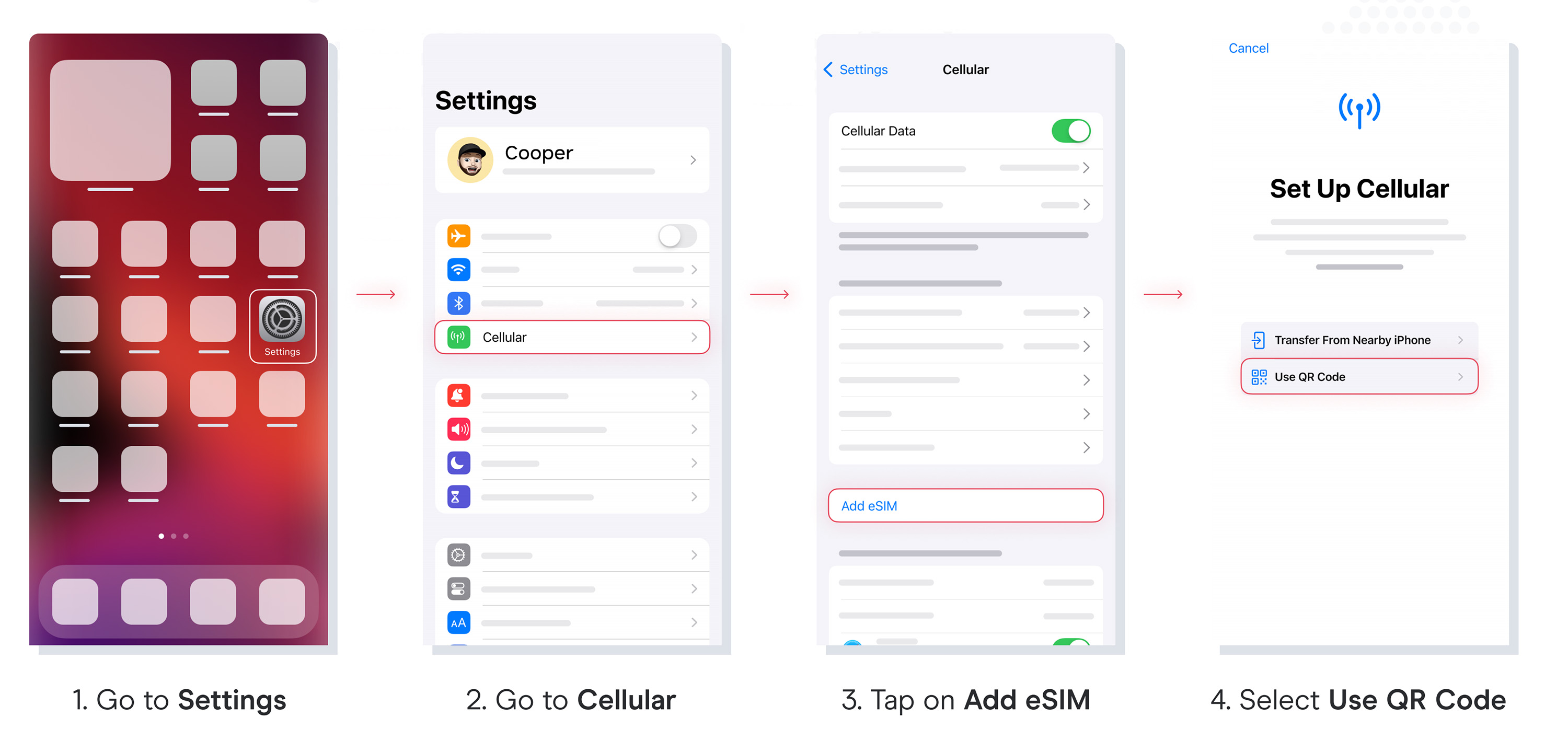
1. Installation
You can install your eSIM manually by copying and pasting the installation codes we send you by mail or by scanning the QR code. For the latter, you must have it printed or on another device to scan it. Choose the best option for you.
You can install your eSIM:
- Manually by copying and pasting the installation codes or
- Scanning the QR code.
Both were sent to you in the same email. For the latter option, you must have it printed or on another device to scan it. Choose the best option for you.
We recommend installing the eSIM before your trip.
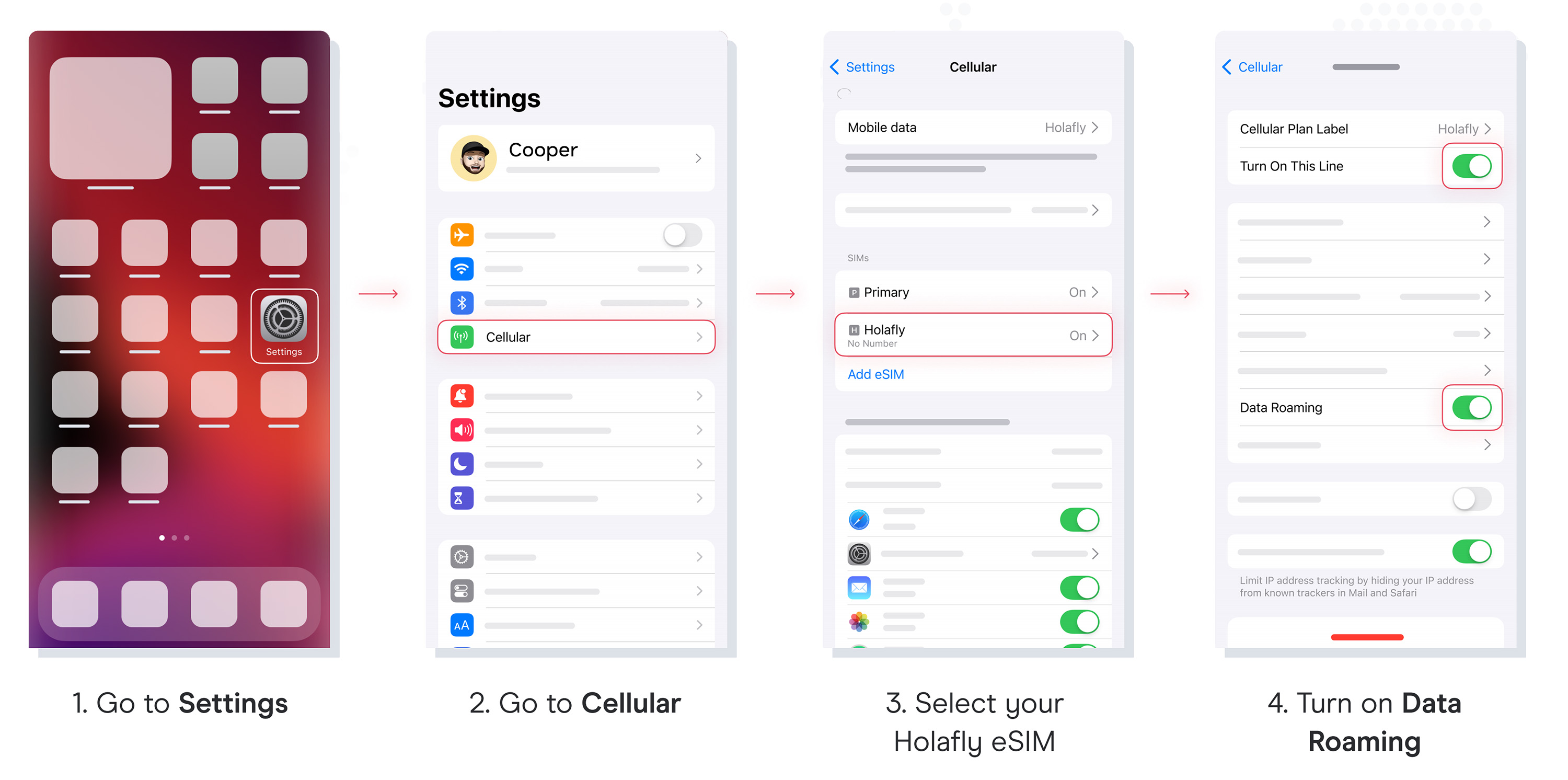
2. Activation